For new users, figuring out how to effectively manage content is one of the biggest hurdles required to maximize the benefits of the system. To help you get there faster, we’ve put together the following recommendations.
|
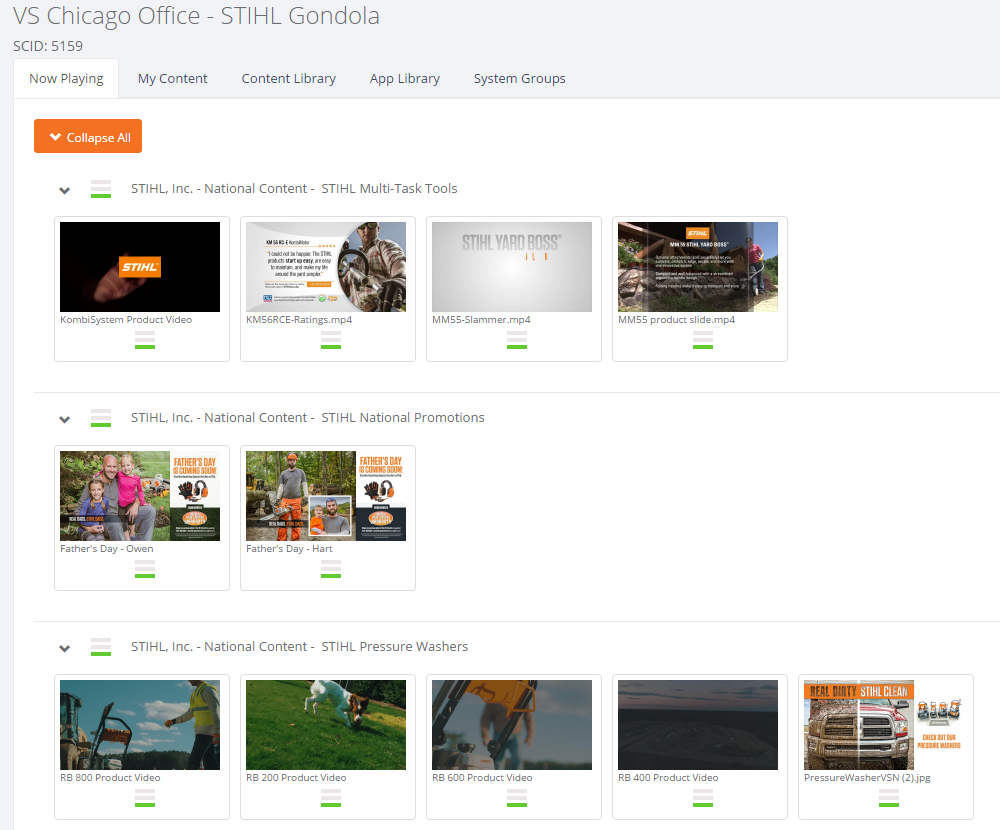
Be Selective With so much content at your fingertips, it’s easy to turn it all on and let the software do the rest. Unfortunately, there are downsides to this approach. The more content you show, the less likely a customer is to see any given piece. Instead, consider selecting a tighter set of content. Remember: at an average play time of 30 seconds, only 120 spots will play each hour. To maximize the number of customers who will see a specific message, it should ideally play at least 3 to 4 times an hour.
|
|
 |
 |
Keep It Short Consider play time when you’re uploading custom content as well. The longer a custom spot is, the less it and everything else will play. And don’t forget: customer have short attention spans! In addition to decreasing play frequency across the system, long ads increase the likelihood that a customer will stop watching. We recommend that all ads target the sweet spot of 20 − 40 seconds—long enough to get your message across, but short enough to maximize your customers’ attention spans. |
|
|
Target your Messaging In many ways, digital signage isn’t all that different from traditional signage. You wouldn’t hang a poster for a product on the opposite end of the store, and the same should hold true of your digital signage as well. Keep your content relevant by focusing on products or services that are close at hand. If you have a display hanging behind your Parts & Service Counter, use that display to show content centered on parts promotions, service specials, and other small-ticket items. Not only will this strategy increase the likelihood of impulse buys, it’ll help you figure out how to be more selective too! |
|
 |
|
|
|
Keep It Fresh Look, when you have customers coming into your store every day, they get used to what they know and start ignoring it. That’s why many retail outlets will periodically reorganize their products—a fresh look is great for grabbing customers’ attention. The same holds rule true of digital signage. When your customers are used to seeing the same content, they’ll start tuning it out. Combat this by periodically refreshing the content on your displays—put up new custom content, change your channel settings, add a new app or two. We try to update our content offerings every month, and we recommend that you do too. You can even try moving or adding hardware; even a small change can make all the difference! |
|
Customize It Research shows that the most effective ads are the most actionable. So while all those glamor videos from your brands go a long way towards showing your customers why they should by, sometimes it takes that extra message to convince them that they should right now. With this in mind, consider making custom content highlighting your current promotions, specials, or service offerings. Adding a price or a time limitation can go a long way towards motivating a customer. Raising awareness of your promotions is the best way to make them a success, and in the store, nothing raises awareness like digital signage. Also, don’t forget to include your logo! Reiterating your store’s branding increases customer loyalty, so even if the spot is just intended to welcome customers or display your store hours, there’s more value there than you might imagine. |
|
 |
|
|
|
Grab Their Attention Remember, everything you put up will be showing on a high-def TV, so take advantage of that! The best way to grab a customer’s attention is to show them something they can’t see anywhere else in the store. If you’re adding custom content, consider how it’ll look on the display. Is it high-def, or will it look blurry blown up? Is there motion, or is it a static message? Does the spot fit with everything else that will show alongside it? It seems simple, but the more dynamic the piece of content, the more effective it’ll be. |
|
Consider Sound Sound is the most controversial aspect of content, and the one we get the most questions about. In general, the right way to use sounds is going to depend entirely on factors that you know best: machine location, content availability, employee personalities, and your customers. Part of what makes sound difficult is that all it takes is one rogue employee or customer turning the sound off, and even the best-laid plans are foiled. With that in mind, we recommend that all content is designed to be effective without sound enabled. For this reason, we discourage “talking head”-type videos, where the usefulness of the content is negated if sound were to be disabled. If you do choose to use sound on your system, make sure that it is enabled, both on the machine (this settings if found in the System Settings menu of our online portal) and on the piece of content itself (pull up the preview window on a specific ad to enable or disable sound). |
|
 |